Freelancer Groups
Building communities and driving ongoing user engagement on Freelancer.com.
- Role
- Product designer
- Scope
- Research, MVP definition, wireframes, prototyping, testing
- Platform
- Web and mobile responsive
- Outcome
- Launch of Groups feature to power collaboration on the platform
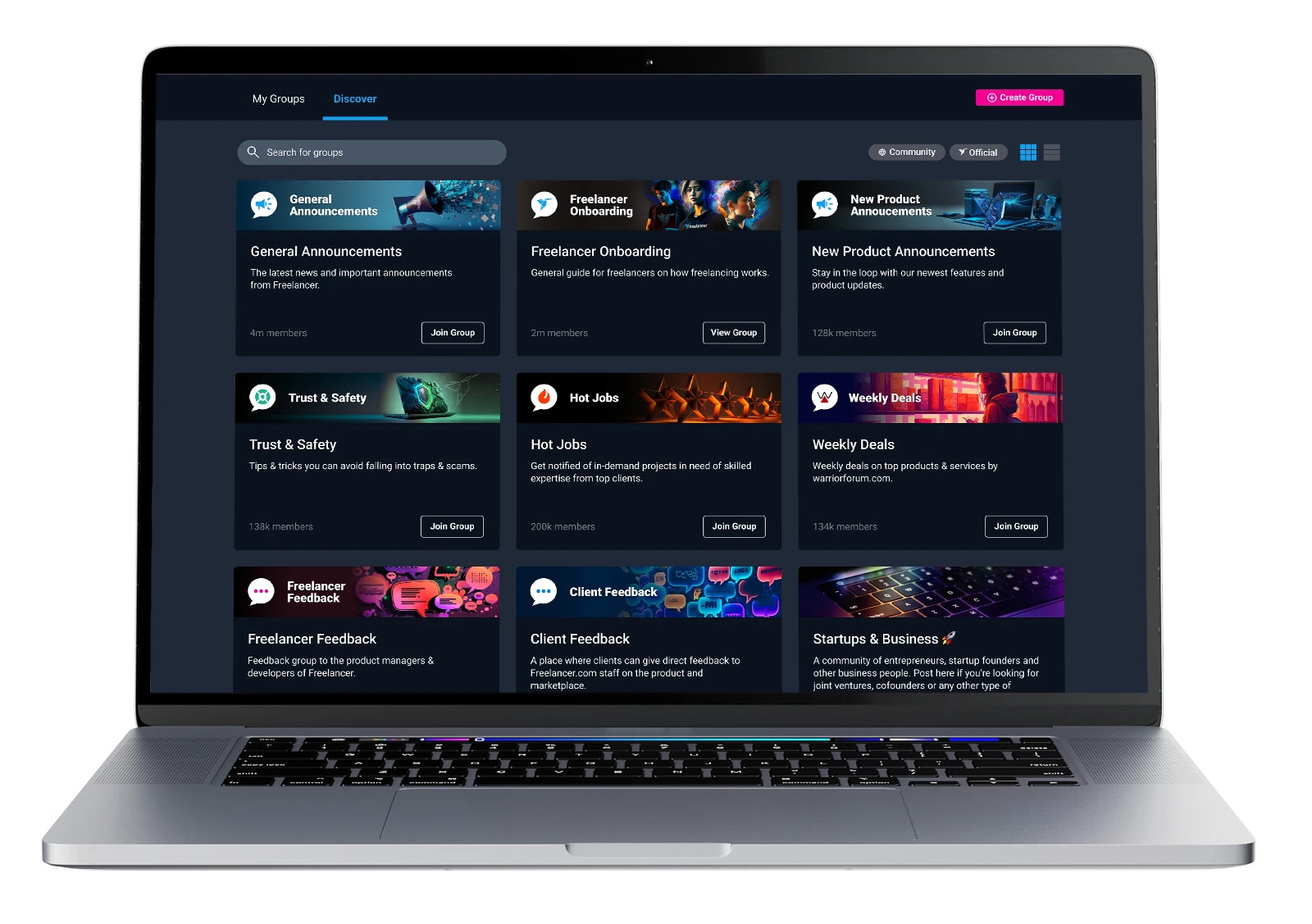
A new product to drive the future of collaboration on Freelancer.com
Groups is a new product for Freelancer.com that aims to drive the future of collaboration on the platform. Its objective is to let both clients and freelancers communicate and collaborate with each other effectively.
Managing freelancers one by one
A client who needs multiple freelancers has to manage each of them individually.
No home for working teams
Clients, especially enterprise, need somewhere to curate, manage and talk to the freelancers they work with often, without turning to external tools.
Updates get lost in chat
There’s a need to broadcast news and updates in a more semi-permanent space than instant messaging can offer.
No reason to come back
Users have no reason to visit Freelancer.com when they don’t have an active project.
How might we allow users on Freelancer.com to effectively communicate and collaborate with each other?
More than a copy of what’s already out there
The initial concept drew heavy inspiration from similar products like Facebook and LinkedIn Groups, and communication tools like Slack and Rocket.Chat. That gave us good early competitor analysis.
The real challenge was building something for Freelancer.com that directly addresses the needs of our user base. We needed to find out from users what they actually needed.
Data surveys
With a user base as large and diverse as Freelancer.com’s, the first call was to see what the data tells us. Surveys went to both clients and freelancers: what tools they use today, what feels lacking on Freelancer.com, and what they’d like to see.
User interviews
With such a broad user base, interviews risk being anecdotal rather than representative, but the team’s interviews still surfaced a few takeaways too strong to ignore.
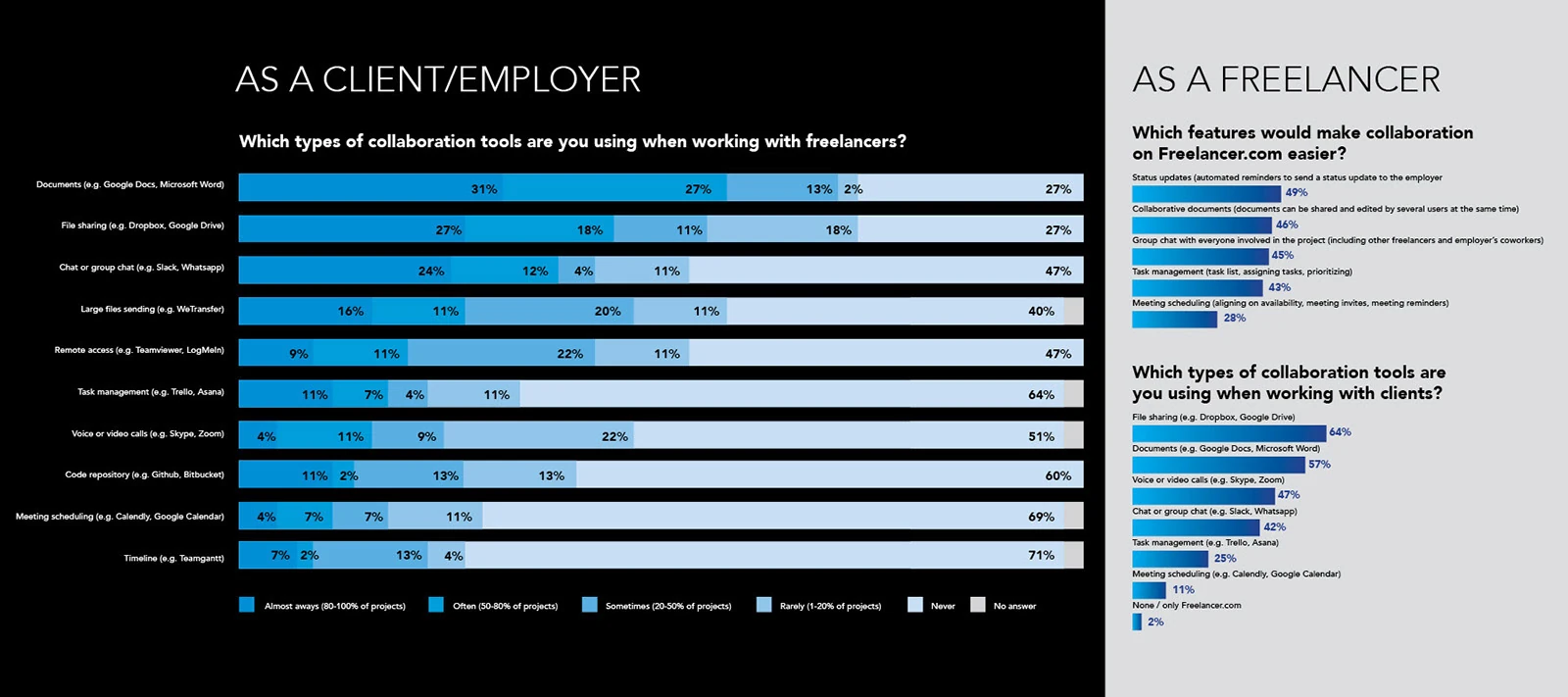
freelancers use external tools to collaborate. They value the safety of Freelancer’s tools, but those tools don’t let them work effectively or stay competitive.
users leave for third-party tools: slow, unreliable messaging, including its file sharing.
Many freelancers want to connect with other freelancers, to collaborate on work, or simply to discuss and share knowledge.
Basic personas were developed for the two key users, clients and freelancers. Because the wider user base is so diverse, they were kept deliberately simple: a few key needs and frustrations drawn from the research.
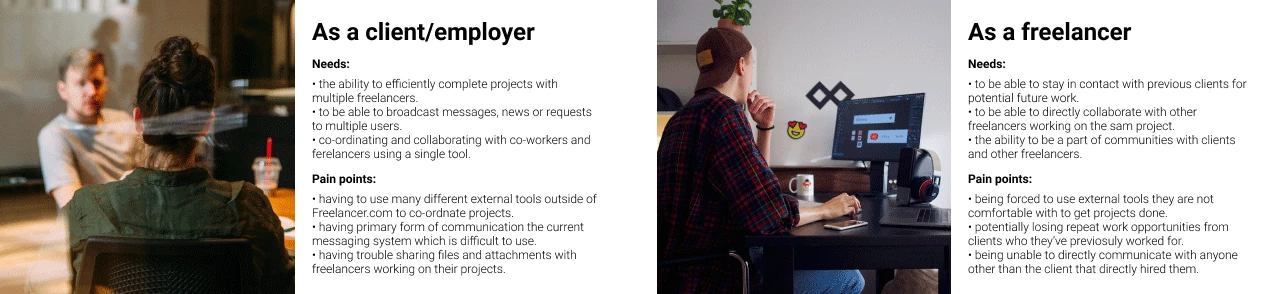
Scaling big ideas back to the basics
With a solid understanding of who we were designing for, it was time for initial ideation, identifying features that could work well for Groups.
“My imagination could run a bit wild thinking of all the cool things we could do with Groups, but at this stage I had to scale it back to the basic needs of a user.”
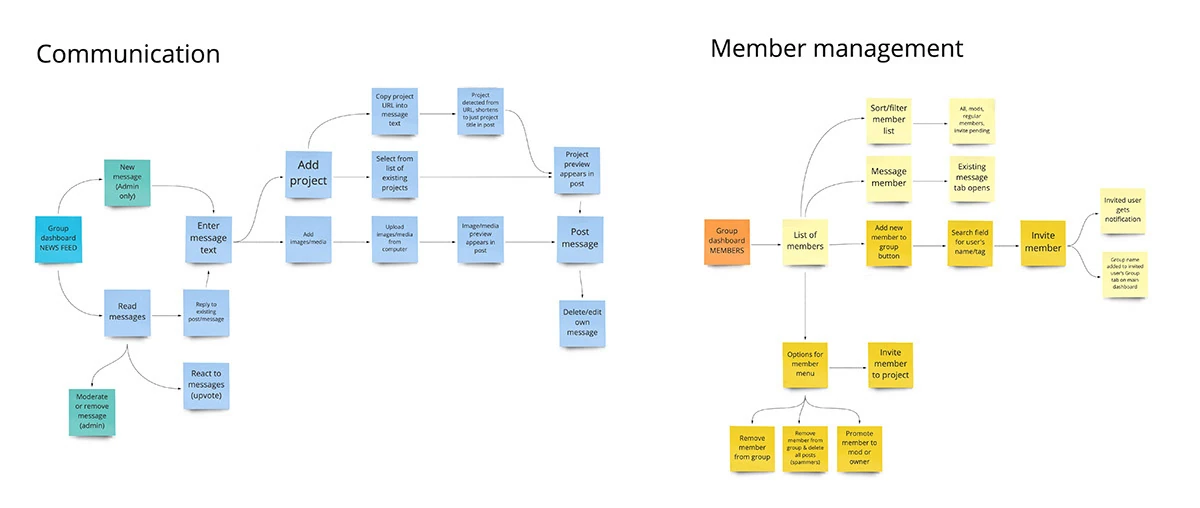
Post and reply
Let a user post messages to a group of other users, and reply to existing messages.
Manage members
Let a user manage the members within a group.
Designing within a system, not around it
Initial wireframes set up a base design purely in the context of Groups. But as Groups would eventually be part of the wider Freelancer.com website, it also had to work with the existing design system.
I worked closely with our UI Engineering team to find the right compromise, using as many existing components as made sense, while still doing what works best for this product.
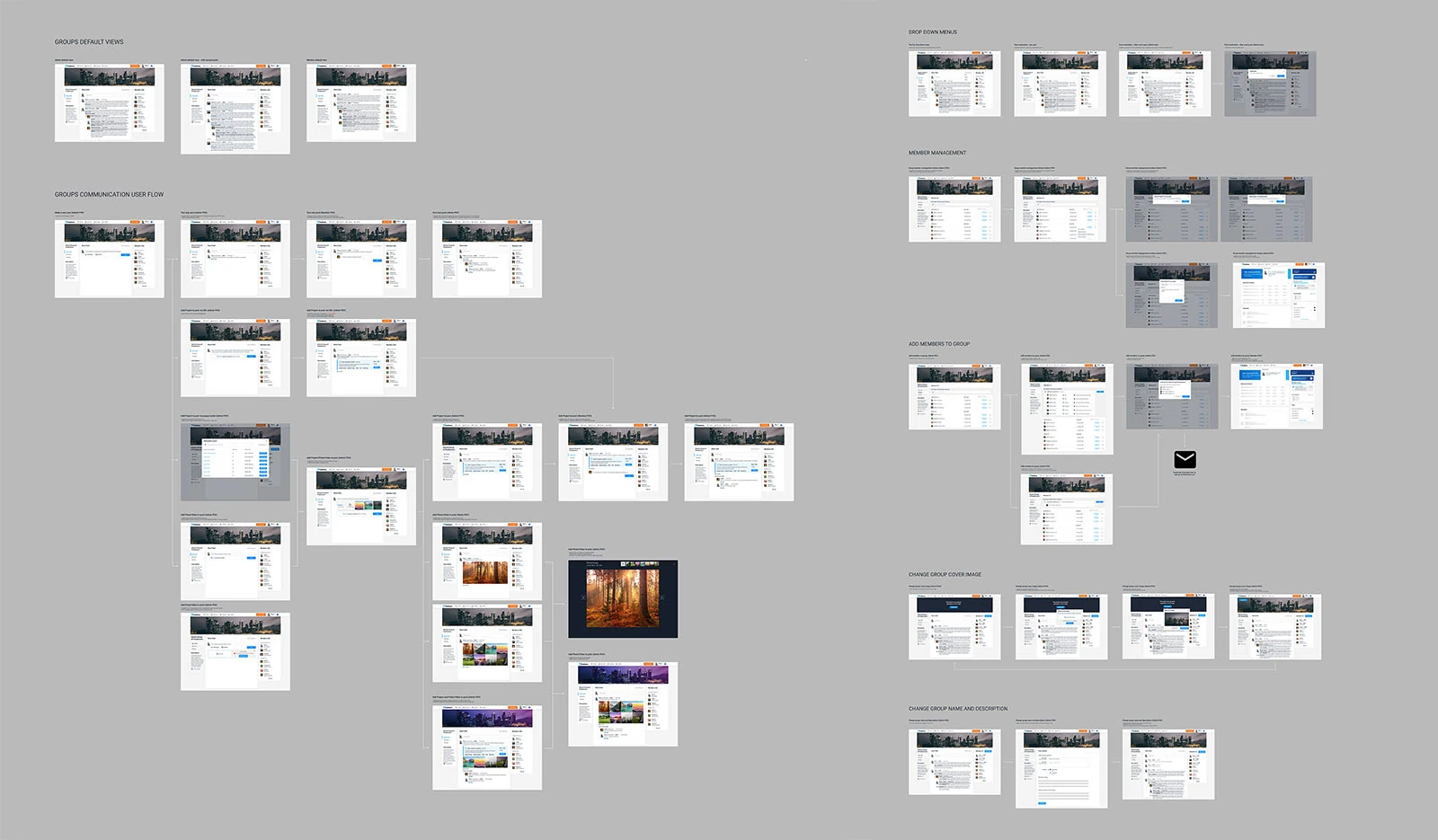
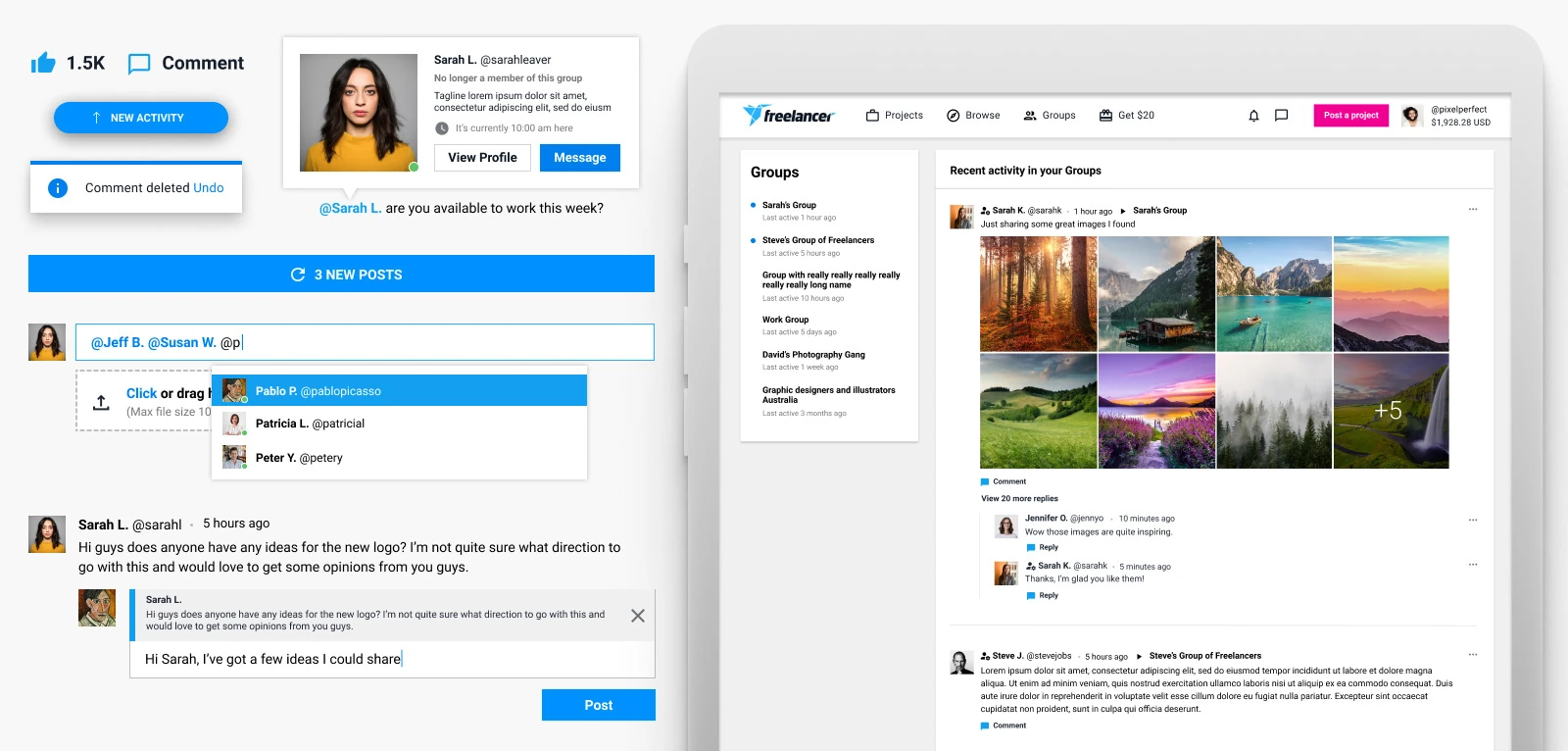
Reuse existing components wherever they fit. Any new component has to justify itself, and earn a place elsewhere on the site.
Mobile needed special attention: the responsive version of Groups relied on many components that didn’t yet exist in our design system.
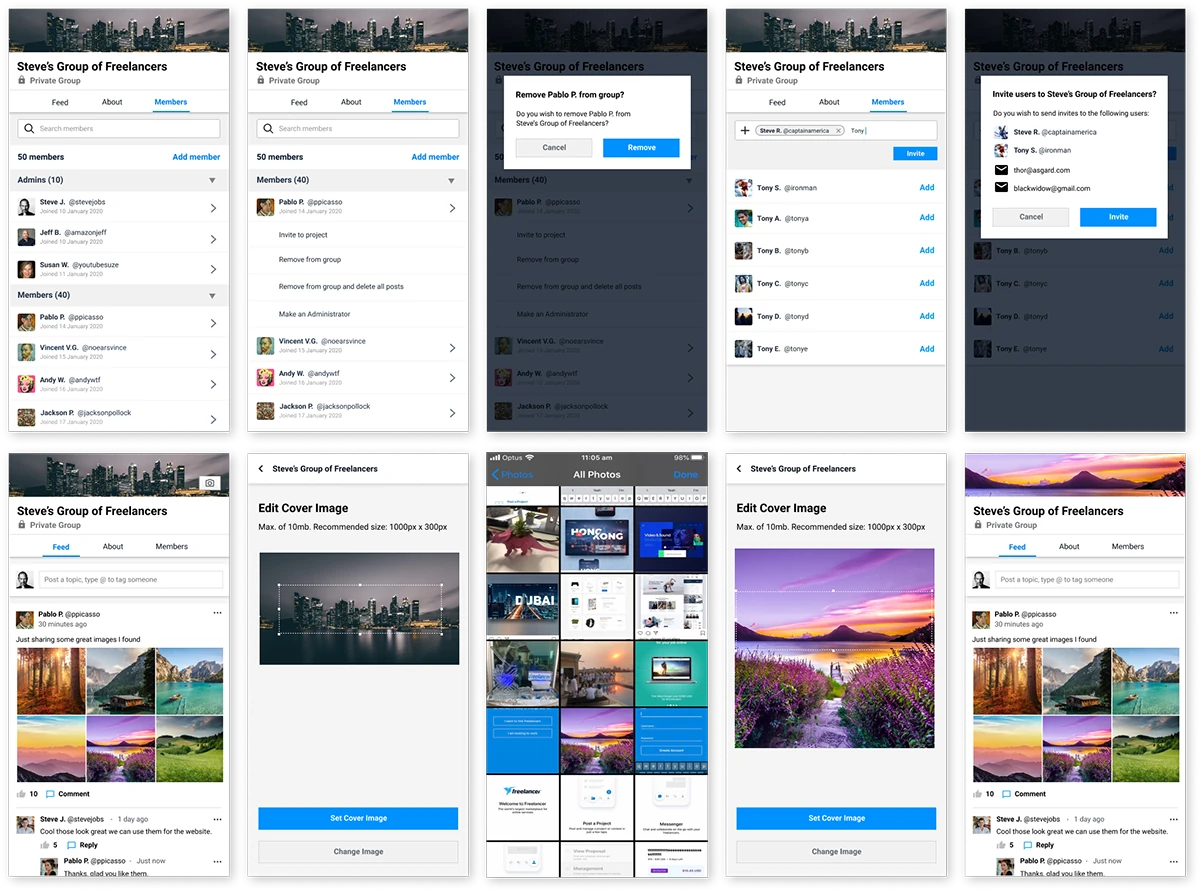
The MVP design was approved by senior stakeholders and went into production. With the product and engineering team based in the UK, working across completely different timezones was a challenge, but they were fantastic to work with, and we made it work.
Ship it, then watch how people use it
With a basic alpha in production, we released it to internal teams at Freelancer and a group of preferred freelancers. The aim was simple: see how people actually use it, and let observations and feedback decide which features to pursue next.
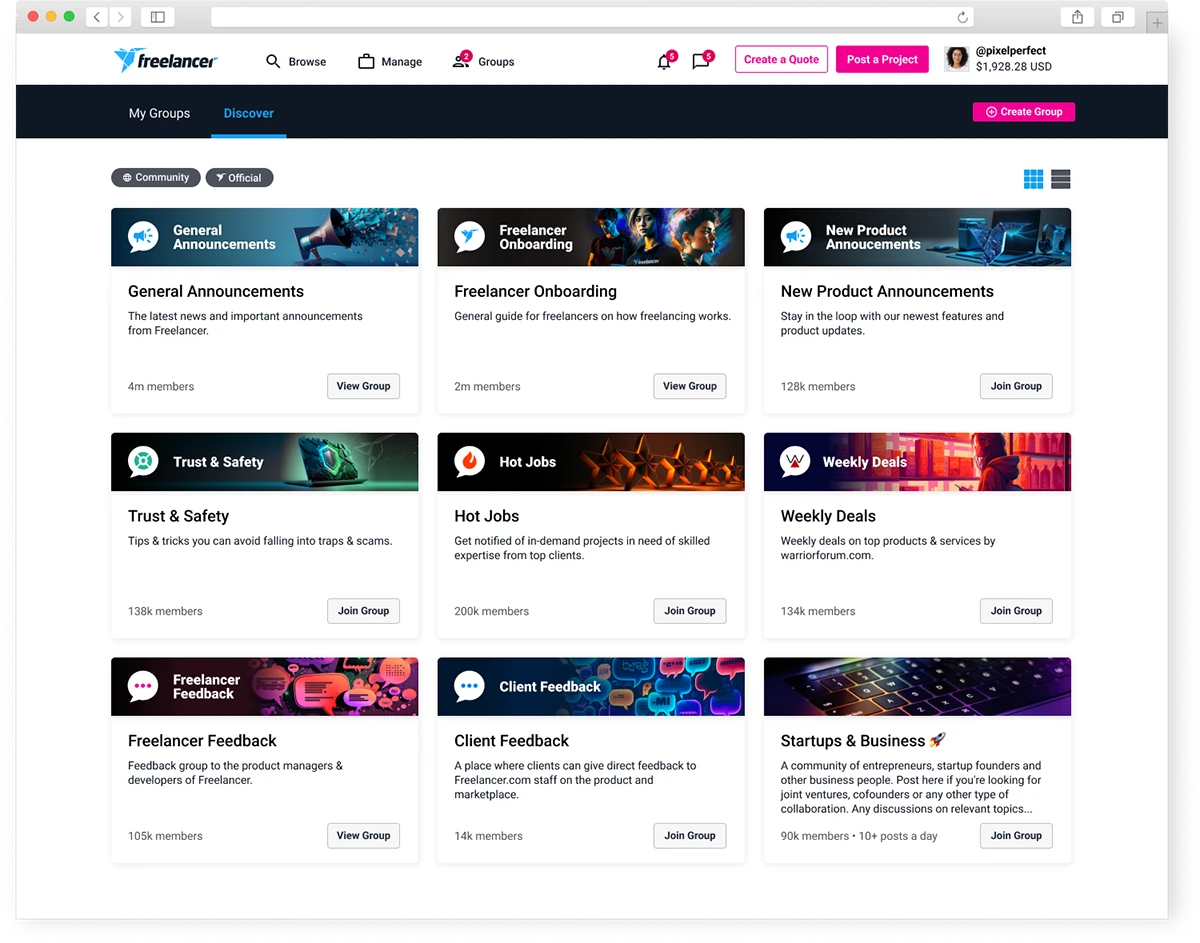
Driving the future of work on Freelancer through collaboration and ongoing engagement
Since the MVP launched, the Groups framework has become the centrepiece of how clients and freelancers use the site. The core value proposition hasn’t changed, but users now have a good reason to log back in when they don’t have an active project.
A reason to return
Users browse and engage with their communities, make connections, get advice and inspiration, and in time, find more projects. None of this existed before Groups.
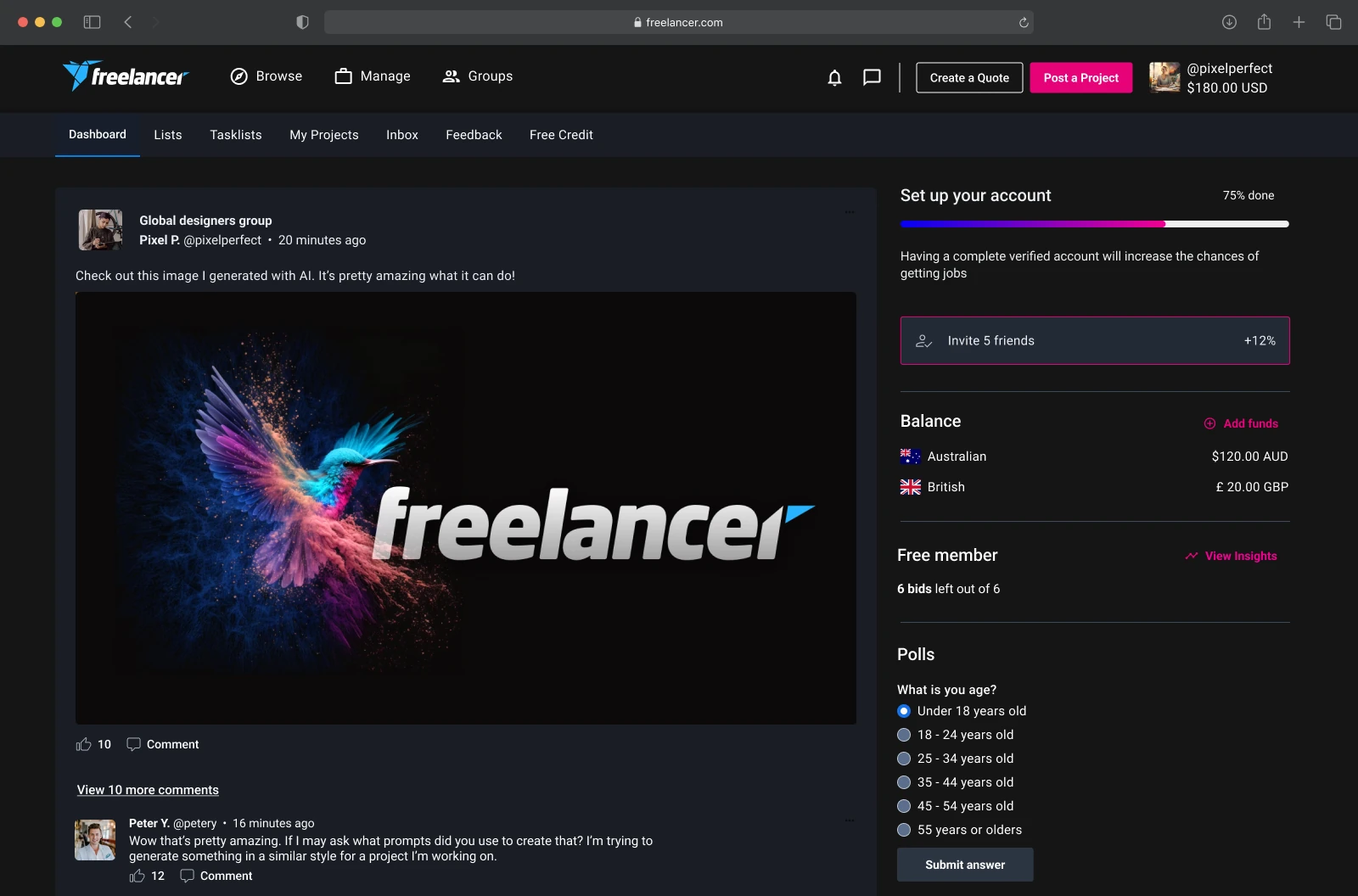
The new homepage
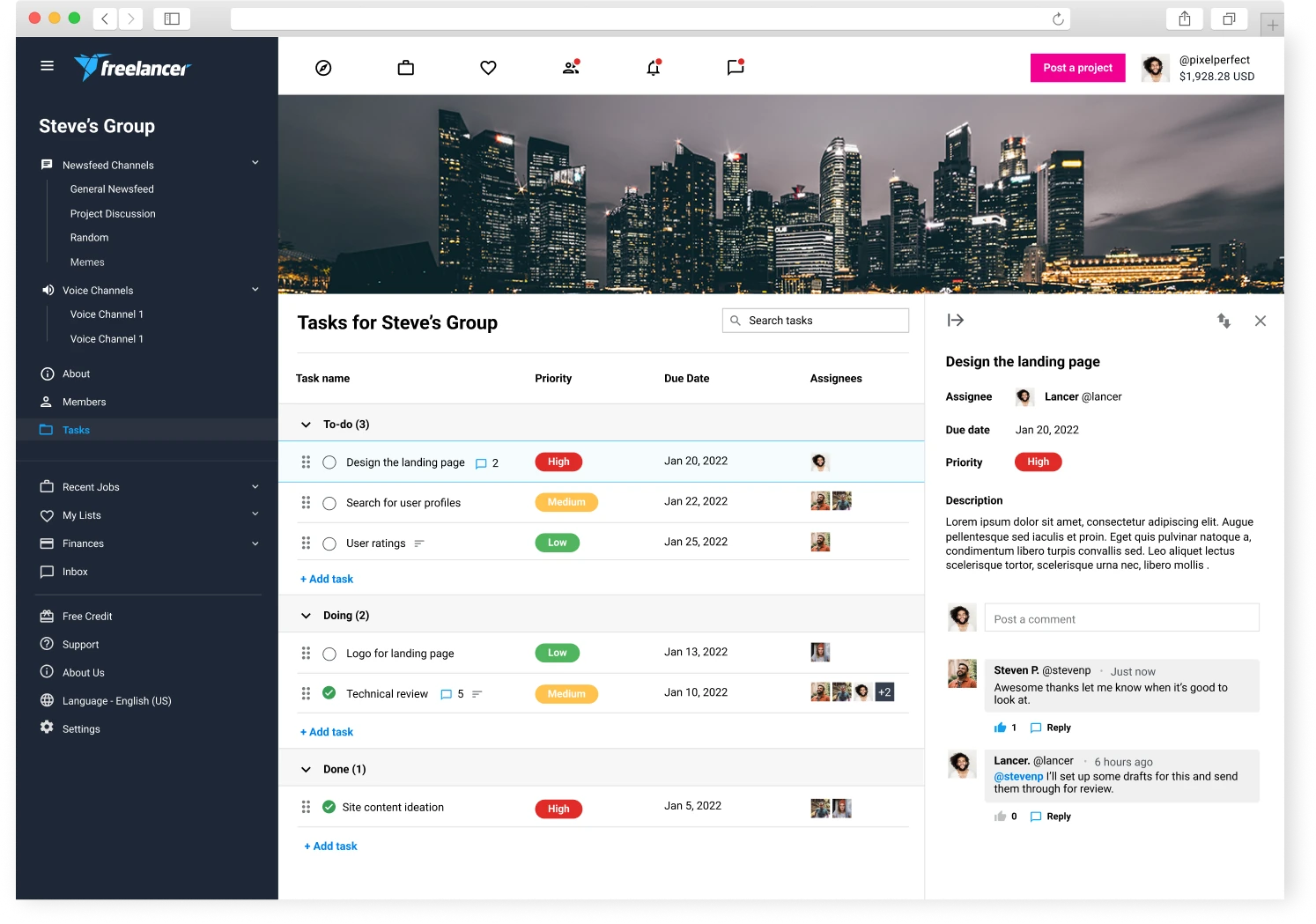
Group and community feeds became the core content of the user homepage, an evolution of the previous dashboard.
A platform for collaboration
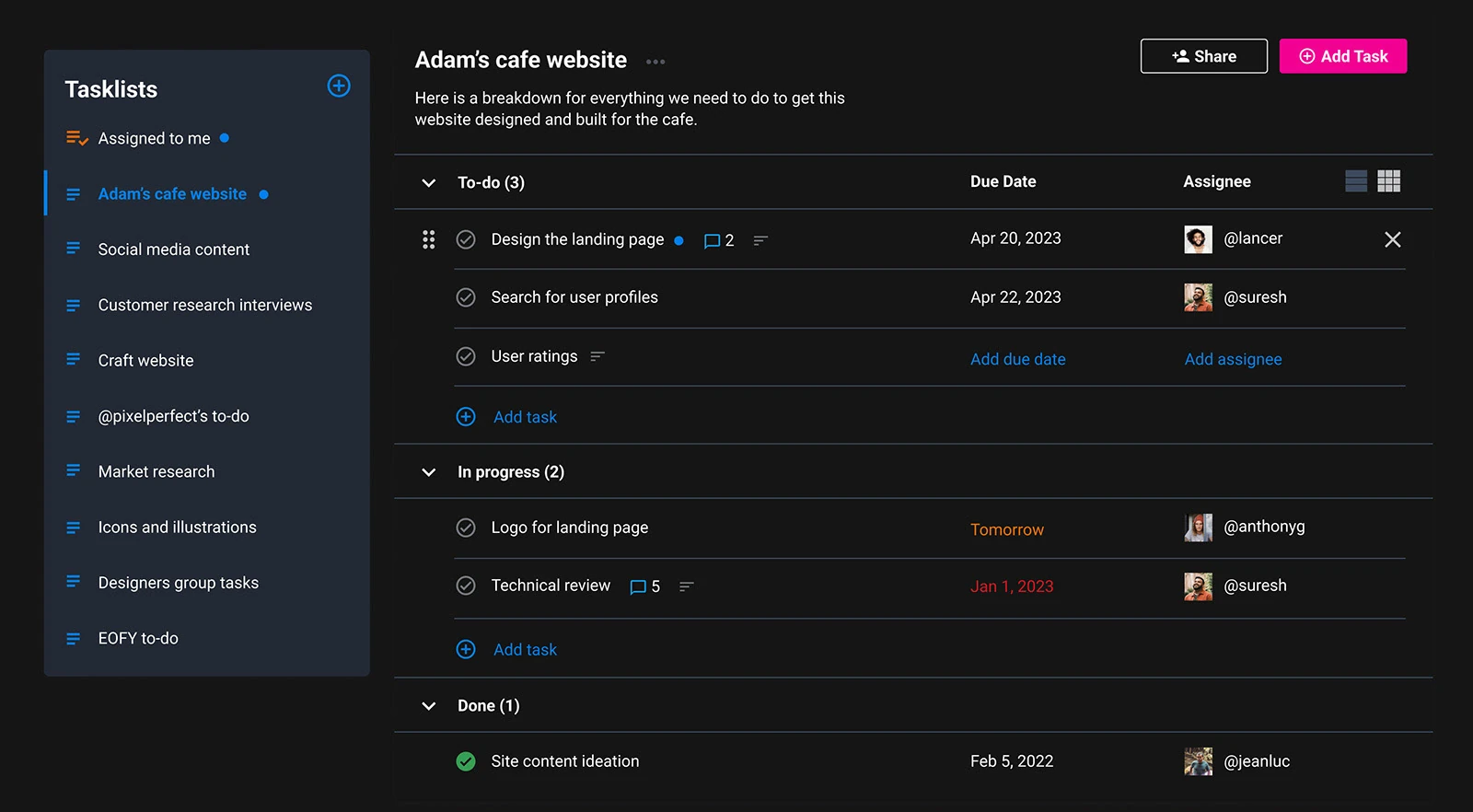
Groups opened the door to more work tools on Freelancer, starting with basic task management, with more to come.
A solid base, and the sky’s the limit
Groups now provides a solid foundation for communication and collaboration on Freelancer.com. Where it goes next will be shaped by how people use it today, and the feedback they give us along the way. The open questions I see ahead:
- Q1 · Integration How do we integrate Groups further into the core product, such as posting jobs, hiring freelancers and managing projects?
- Q2 · Scale How do we scale Groups elegantly, from a handful of users to large enterprise clients?
- Q3 · Value How do we add value beyond the tools people already use for the same purpose?
Groups is still basic by nature, and its future is both daunting and exciting. I’m looking forward to seeing where it goes, and how it evolves.