Improving the broadband purchase experience
Buying home broadband online should be simple and painless. Often it isn’t, so we set out to fix that for Optus.
- Role
- UX design (team project)
- My focus
- Purchase to activation
- Scope
- Research, analysis, persona, ideation, prototyping, testing
- Client
- Optus
Where buying should be pain-free
Buying home broadband online should be straightforward and pain-free, but often it isn’t. We were tasked with investigating and improving this purchase experience for Optus.
Many of us were current customers, so we started by brainstorming every need and pain point we could think of from personal experience, and used them to form our problem statements.
Lost before they buy
A customer often feels confused buying a new product online, so they look somewhere else.
Unrecognised loyalty
A customer can feel neglected and unappreciated when their long-term commitment isn’t recognised or rewarded.
Stats are cool, but we need to know why
Our surveys turned out fairly fruitless, with little usable data. But quantitative data was only ever going to get us so far: stats are cool, but we needed to know why. Time to take it to the people.
We interviewed customers of Optus and its competitors. A trend emerged: their answers went well beyond the purchase itself, into the ongoing support and service they were getting, or in some cases, not getting.
Online surveys
Limited data, useful as a starting point, but not the full story.
In-person interviews
A far more valuable source for this project: real customers explaining what they think of their service.
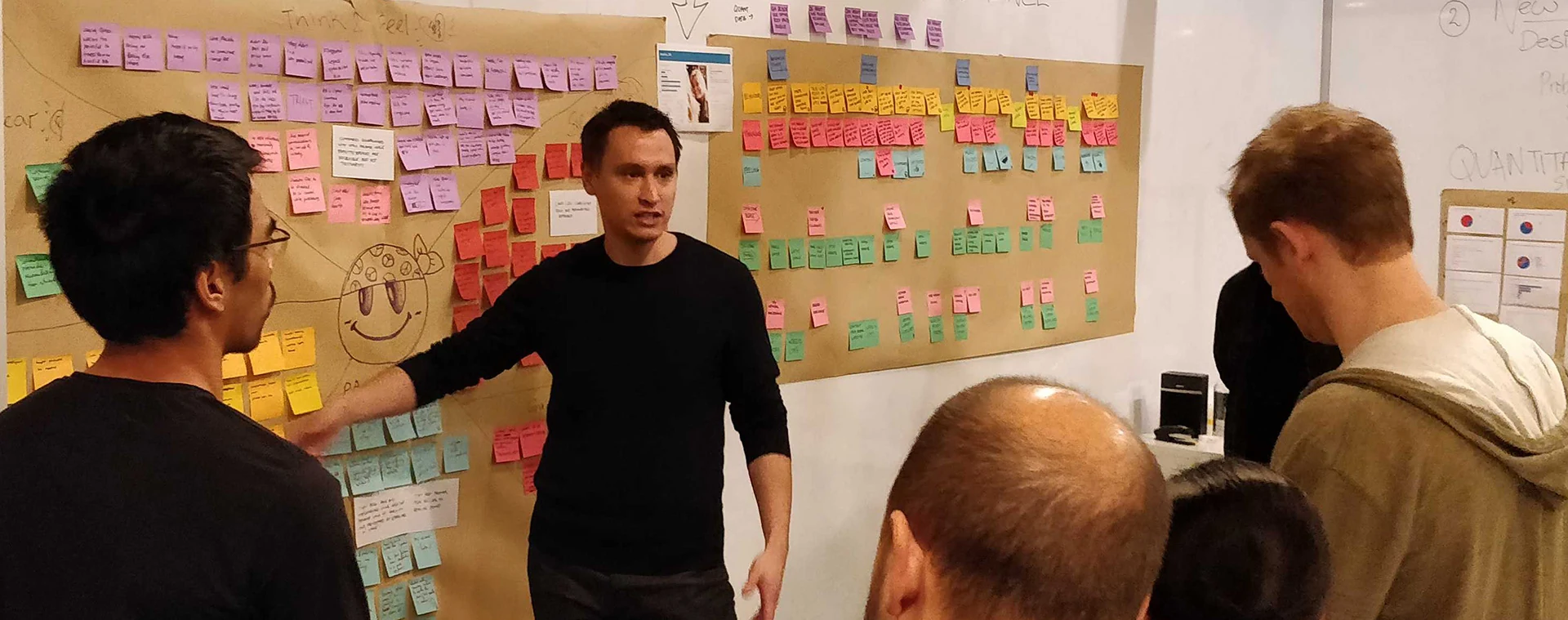
Clustering, then digging deeper
We sorted the interview data into an affinity map, clustering it into logical themes. That gave us our first insights.
Customers highly valued trust and flexibility when choosing a broadband provider.
They wanted a more personalised, empathetic approach, so they feel valued as customers.
They felt larger providers didn’t really care about their needs.
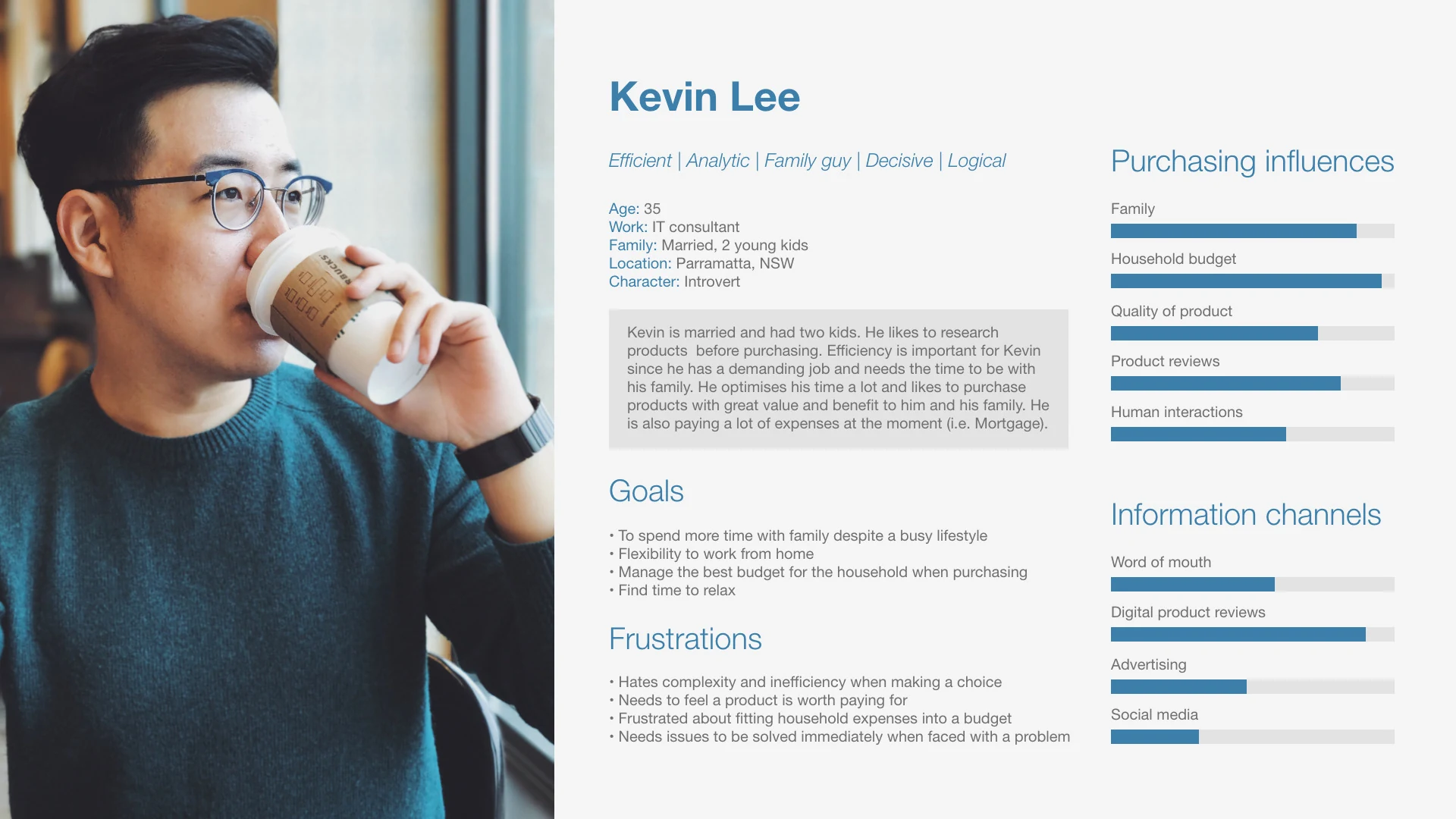
But again, we needed to know why. We re-sorted everything into an empathy map to dig into what customers were actually experiencing, and from those insights, built a persona to design for. Meet Kevin.
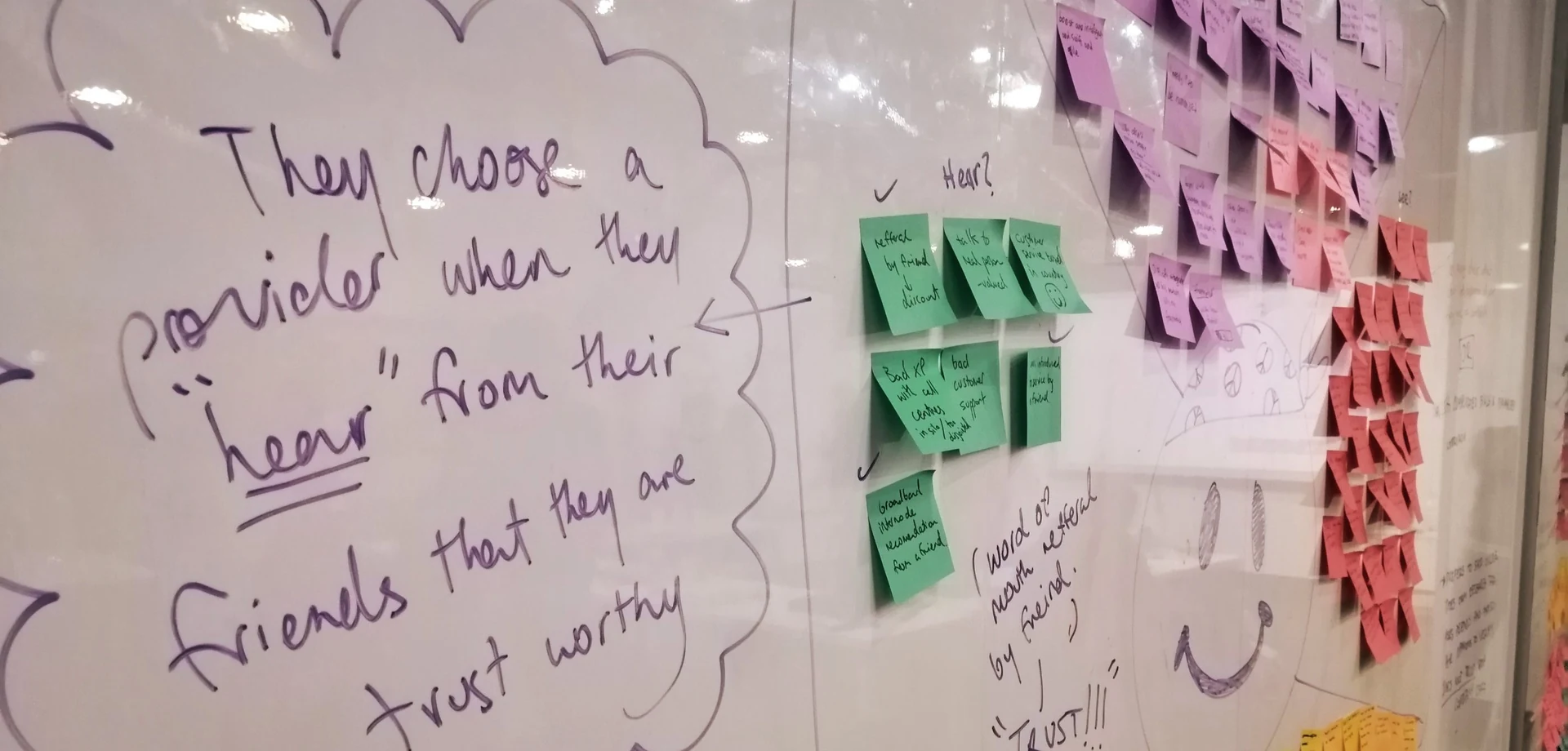
Our research had grown well beyond the brief, into the structure and culture of the entire company.
All important things. Our client contact was very UX-mature, which made presenting much easier, but for this project we needed to rein it back to the original problem: improving the experience of buying broadband online.
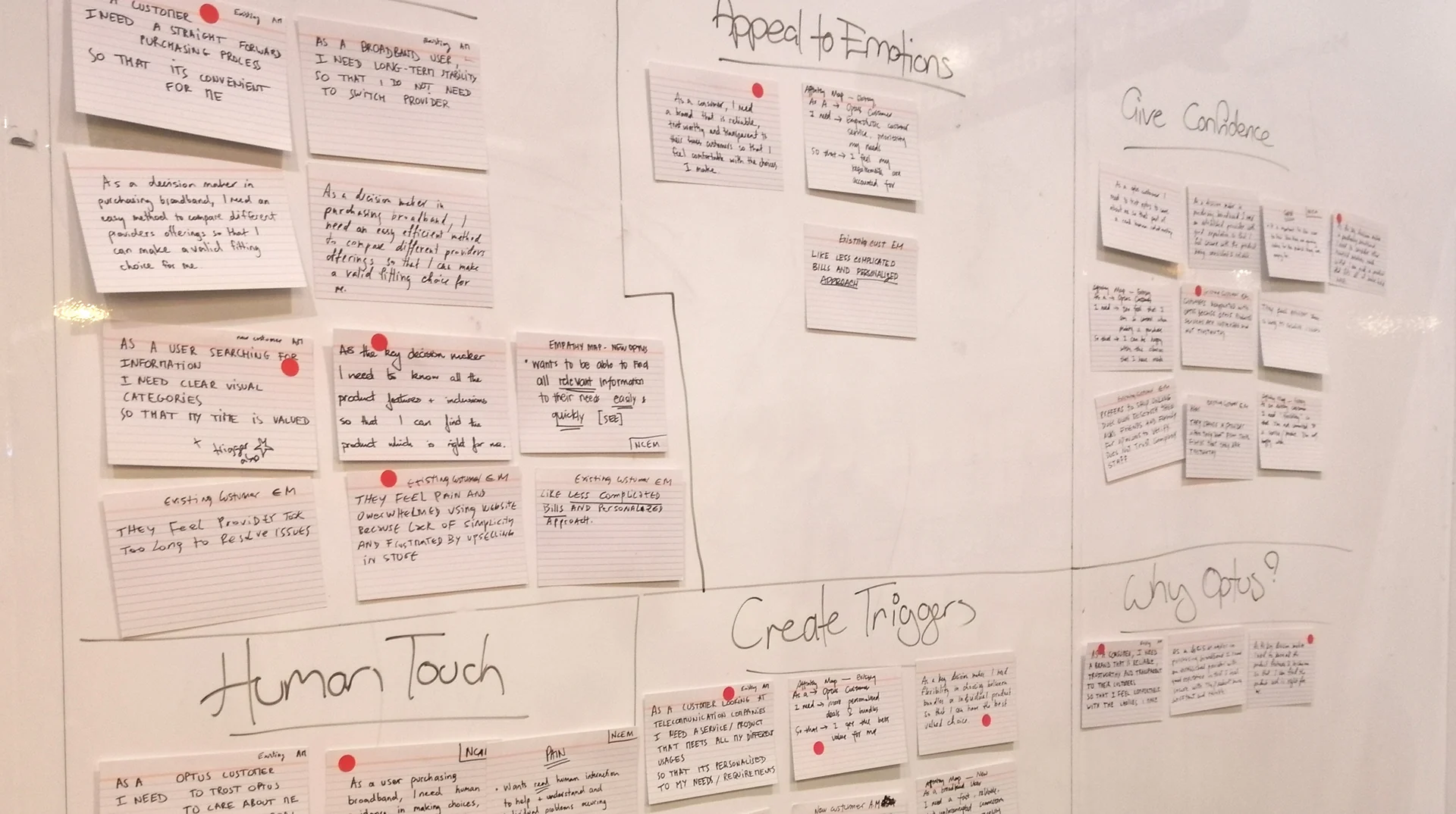
Five themes to design for
With Kevin in mind and the client’s feedback in hand, we organised our insights into key themes to focus the design. These themes were essentially our MVP.
Reducing effort
Make every step take less effort for the customer.
Appealing to emotions
Connect with how customers feel, not just what they buy.
Giving confidence
Help customers feel confident in their decision.
Creating purchase triggers
Create the moments that prompt a purchase.
Purchase to activation
The customer’s experience from purchase through to activation.
Designing the journey after checkout
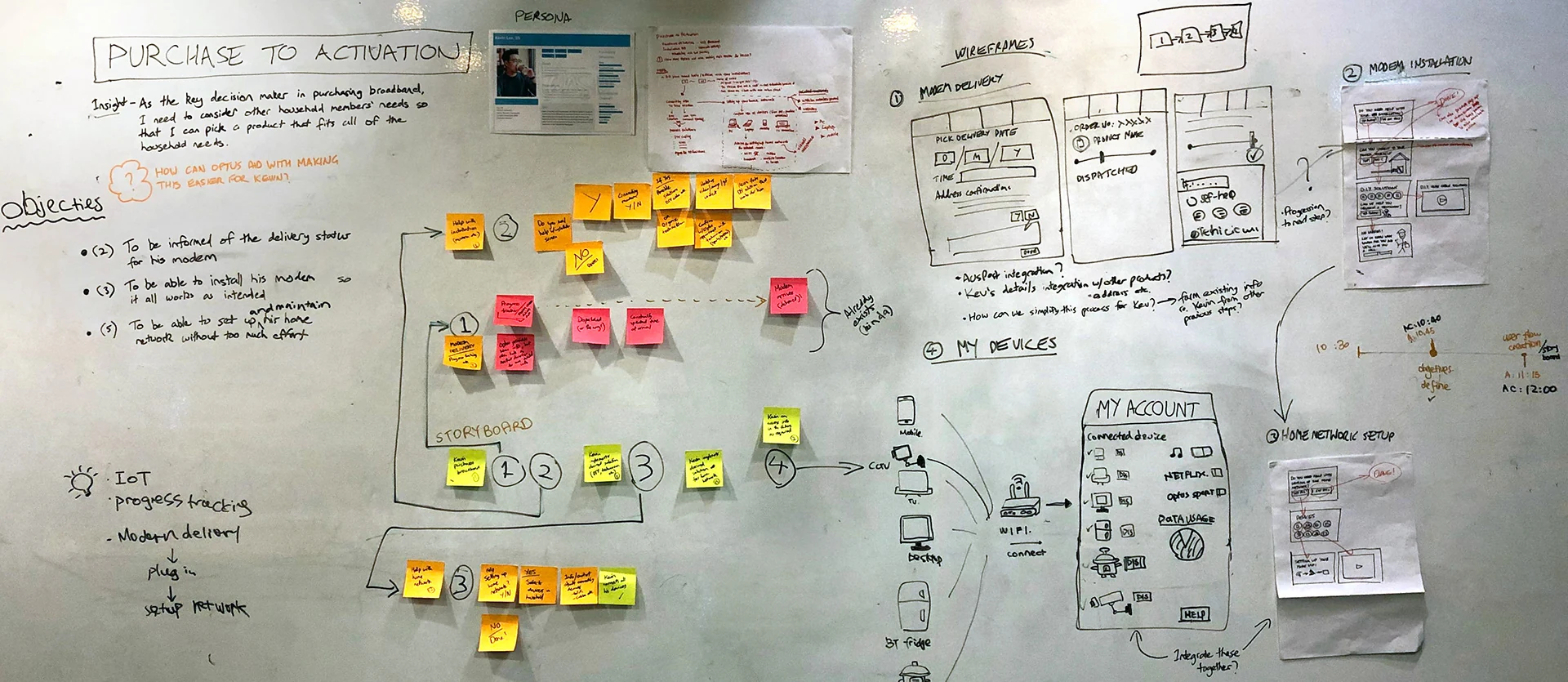
Time to divide and conquer. We split into smaller teams, and I designed for the ‘purchase to activation’ experience. We mapped Kevin’s journey from purchase to activation, and defined three objectives: keep the customer informed about their modem’s delivery, help them install it so everything works, and let them set up and maintain their home network with minimal effort.
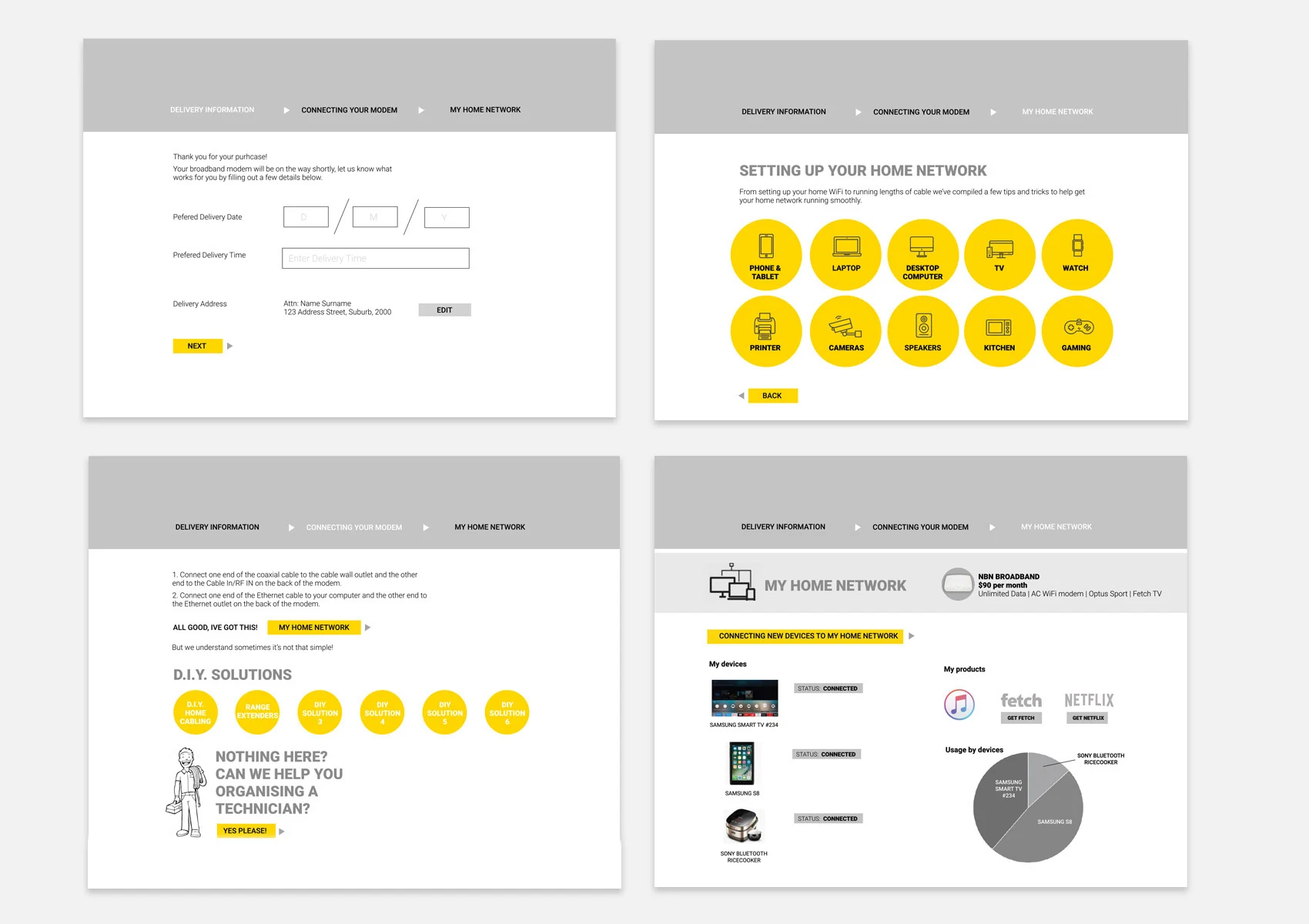
User flows and wireframes for each objective led to a number of prototypes. The challenge: bringing all three together into something Kevin would actually find valuable.
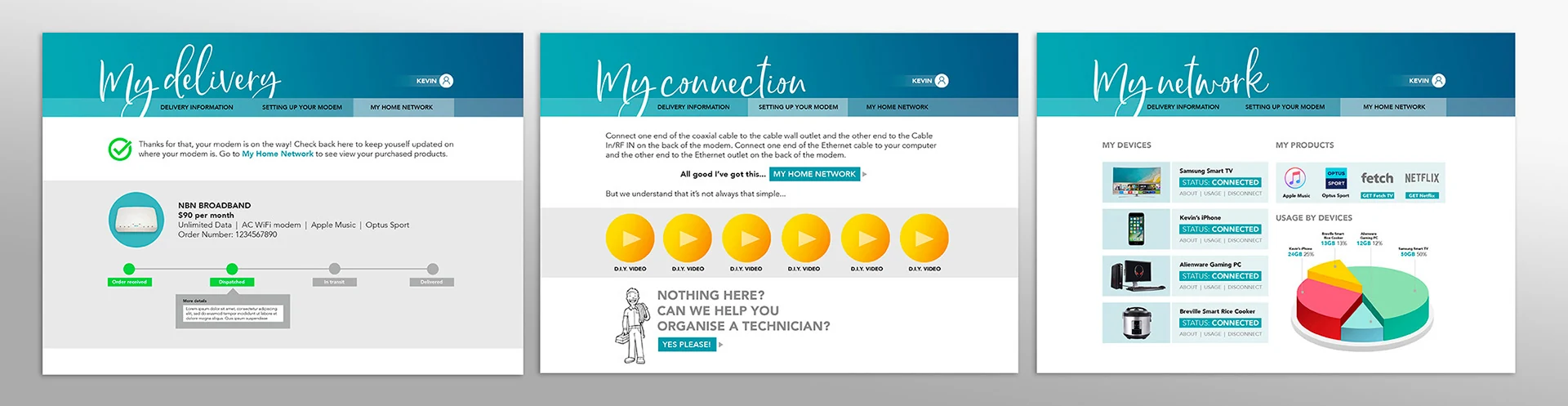
Modem delivery
From the moment the order is placed until the modem arrives.
- Set their own delivery date and time
- Always know where their modem is along the way
Modem connection
Getting the modem connected and working.
- Guidance to connect the modem and get it working
- DIY solutions when setup is more complex
- Support to find a technician if needed
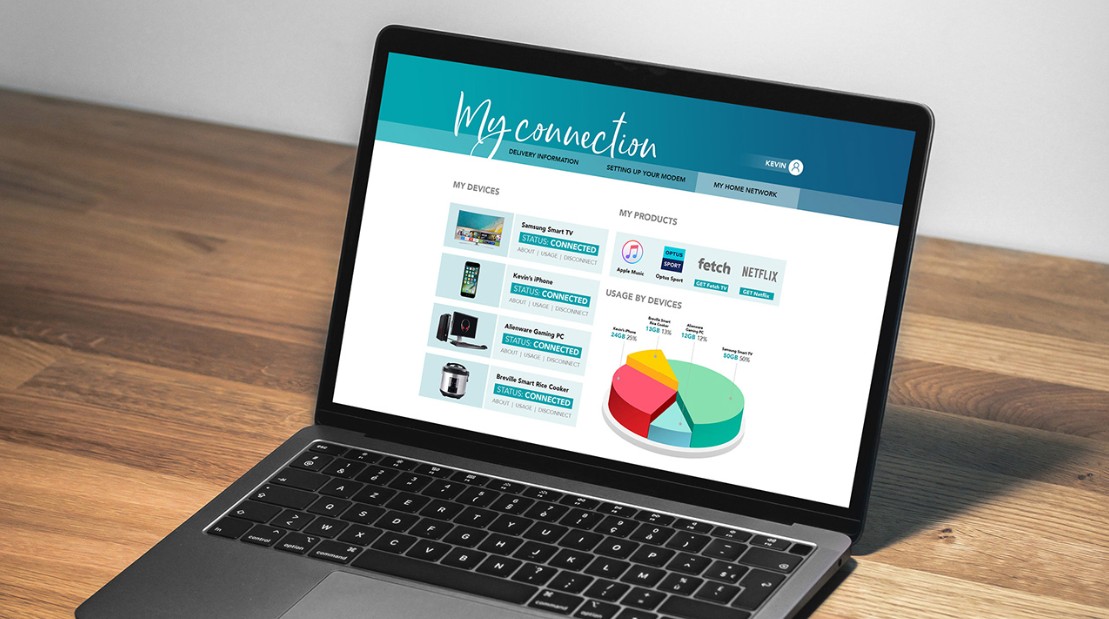
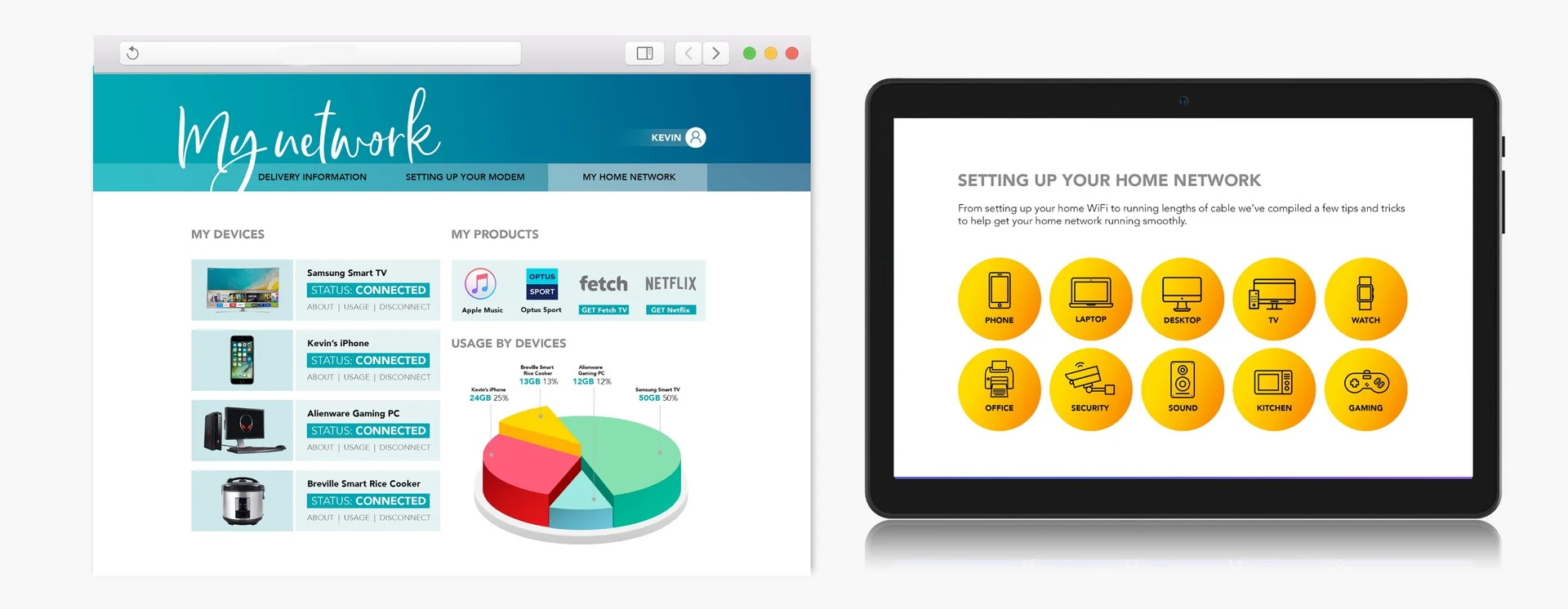
My Home Network
The final, and ongoing, part of the journey.
- A dashboard of the devices and products on their network
- Useful stats for each device, such as data usage
- Educational content for adding new devices
Testers wanted more
As the project wrapped up, we compiled the feedback from testing.
End-to-end tracking
Testers liked being able to track the whole process, from delivery to installation.
Handy, but would they use it?
The educational DIY and new-device content was handy, but many testers questioned whether they’d actually use it.
My Home Network
The most intriguing part of the prototype, but too basic. Testers wanted more features to control their devices and products.
Owning the house
Testing showed ‘My Home Network’ could go far beyond what we prototyped. Given the short timeframe, I felt we delivered a good base for the idea, which left us wondering what it could become.
So we put our blue-sky thinking hats on.
- Internet of things Could the household’s Optus connection become the focal point for every device interacting with each other and, more importantly, with the household?
- Business and life Could this help Optus meet its business goal of ‘owning the house’, while also improving the everyday life of a busy household?